<P> or <DIV> tags: this is a double space. It puts padding around each paragraph.
<BR> tag: this is a single space. If you put in more than one of these, they will be ignored unless you put something between them.
<BR clear=”all”> this handy little addition to the <BR> tag allows us to force a return when things are wrapping around something unintentionally.
There is instruction for both WordPress classic and X Pro/Cornerstone in this video.
Get the short codes: https://demo.theme.co/integrity-1/shortcodes/accordion/
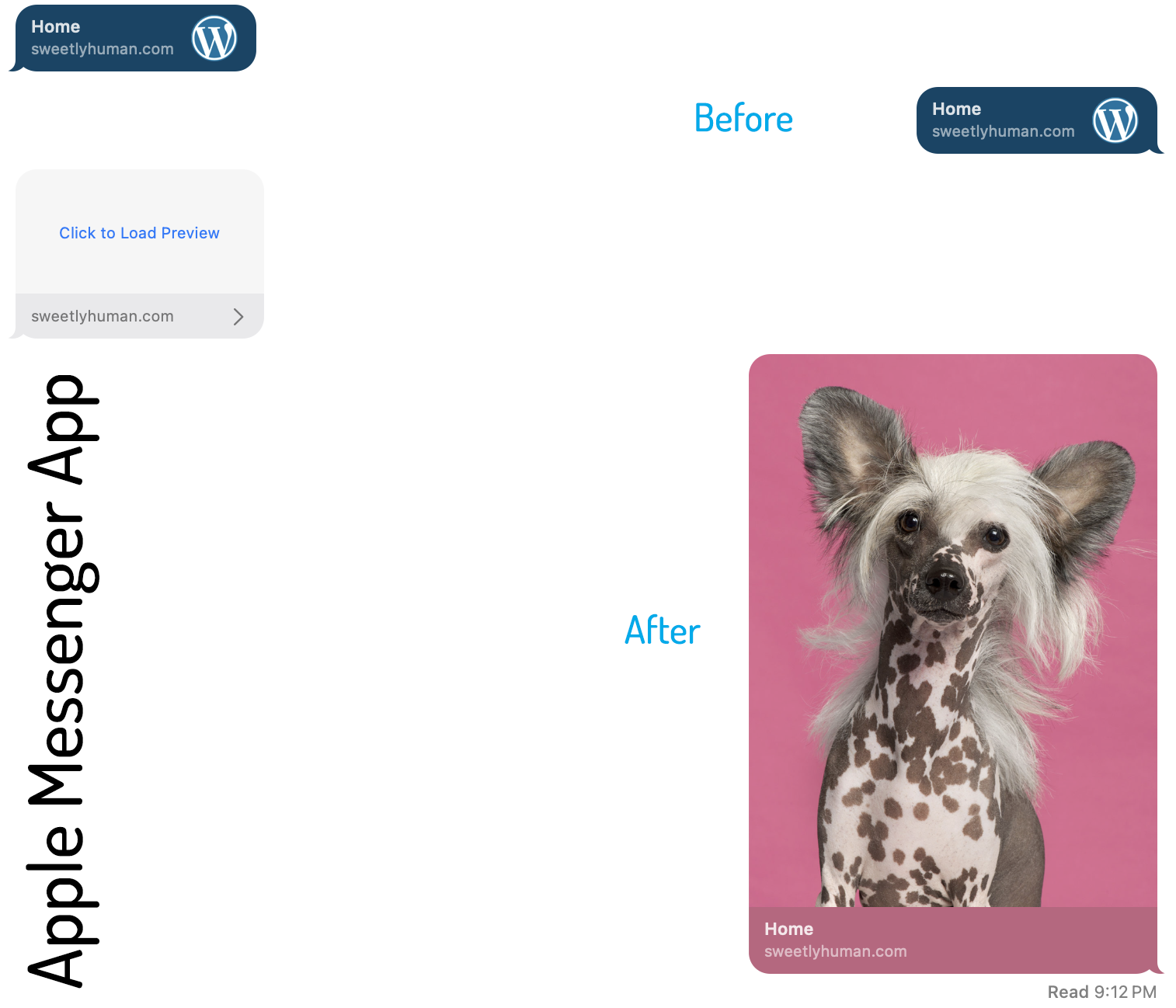
Sometimes when we share a web page, some rando, ill-chosen image appears with it. It could be a stretched out icon that gets all pixelated, or it could be some image from lower on the page that doesn’t represent it well. Regardless, we can change it!
Example: Apple Messenger

1.
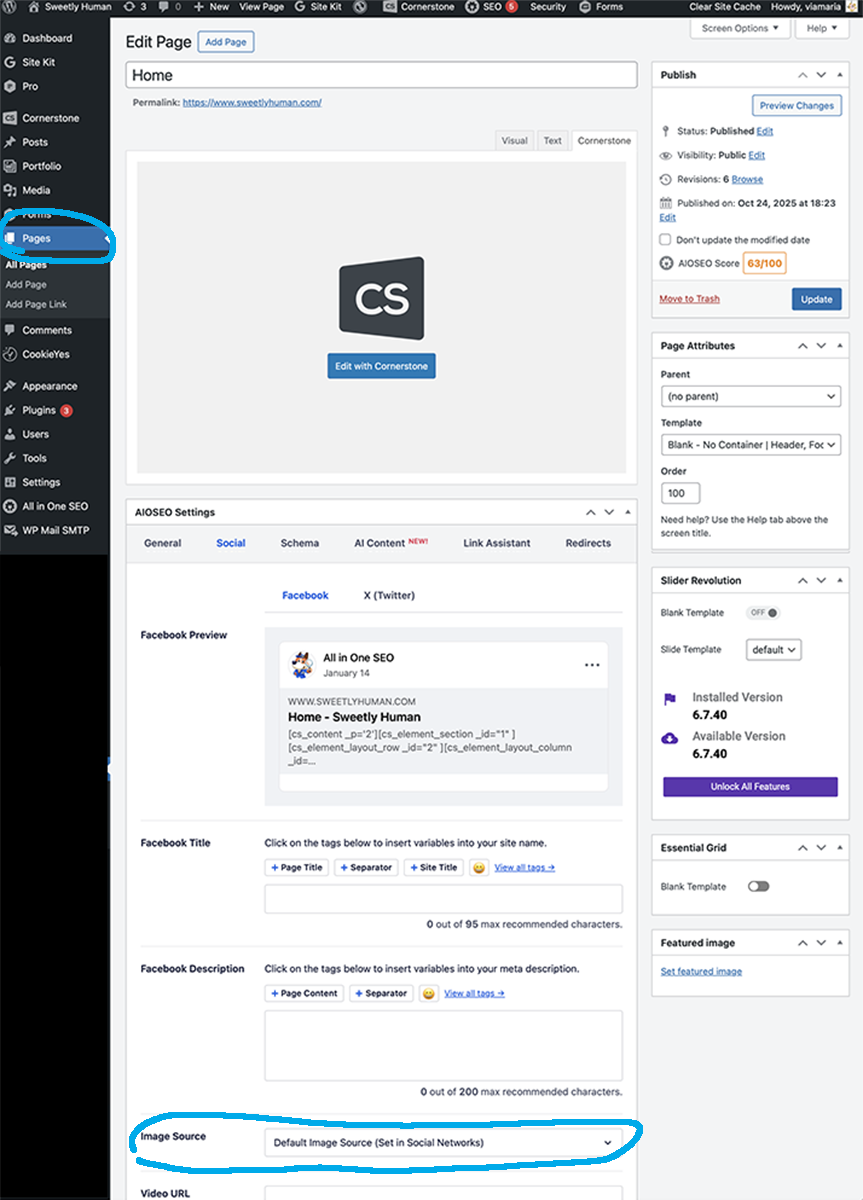
To change the default preview image, first go to the page that you are trying to share. Click on the Edit button. Once the editor loads, scroll down to the keywords section:
2.
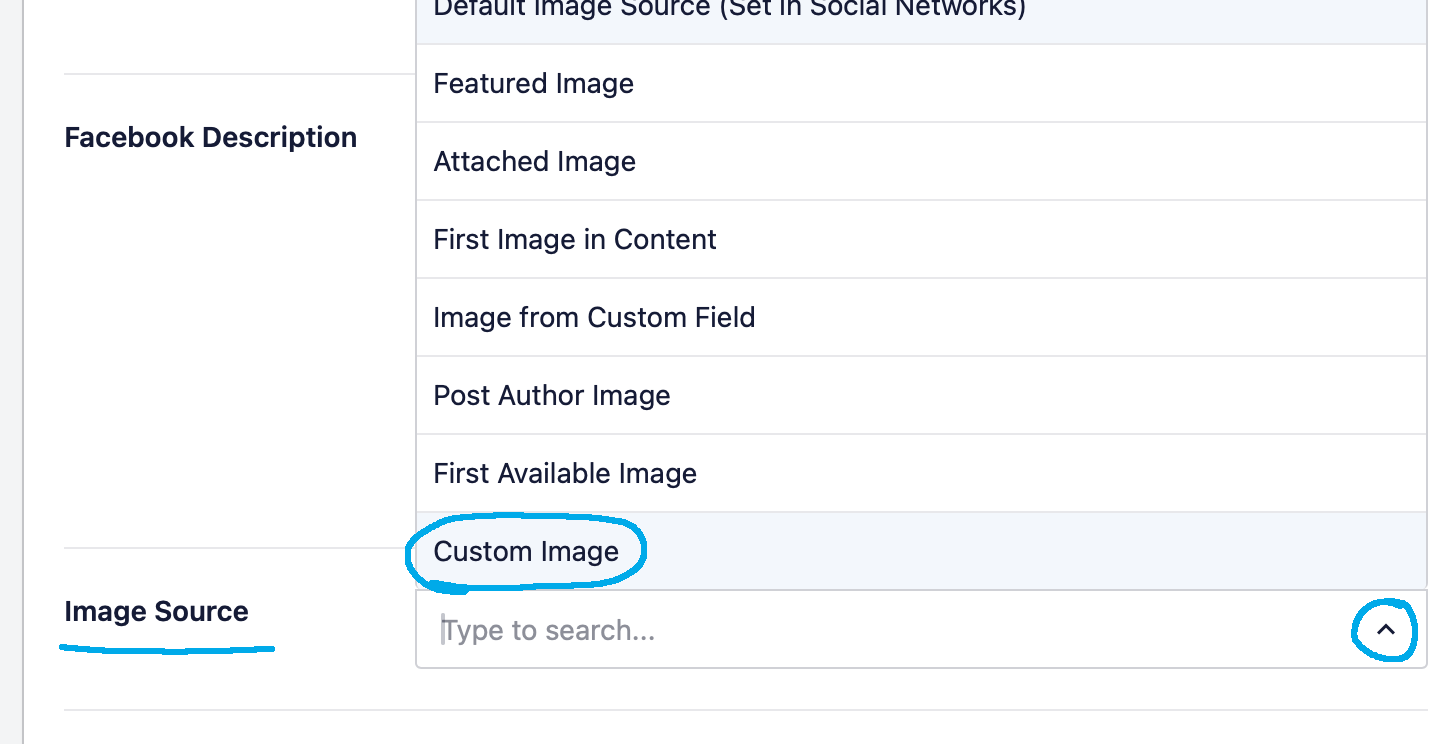
Find the Image Source section. Then from the dropdown of options, choose Custom Image.
3.
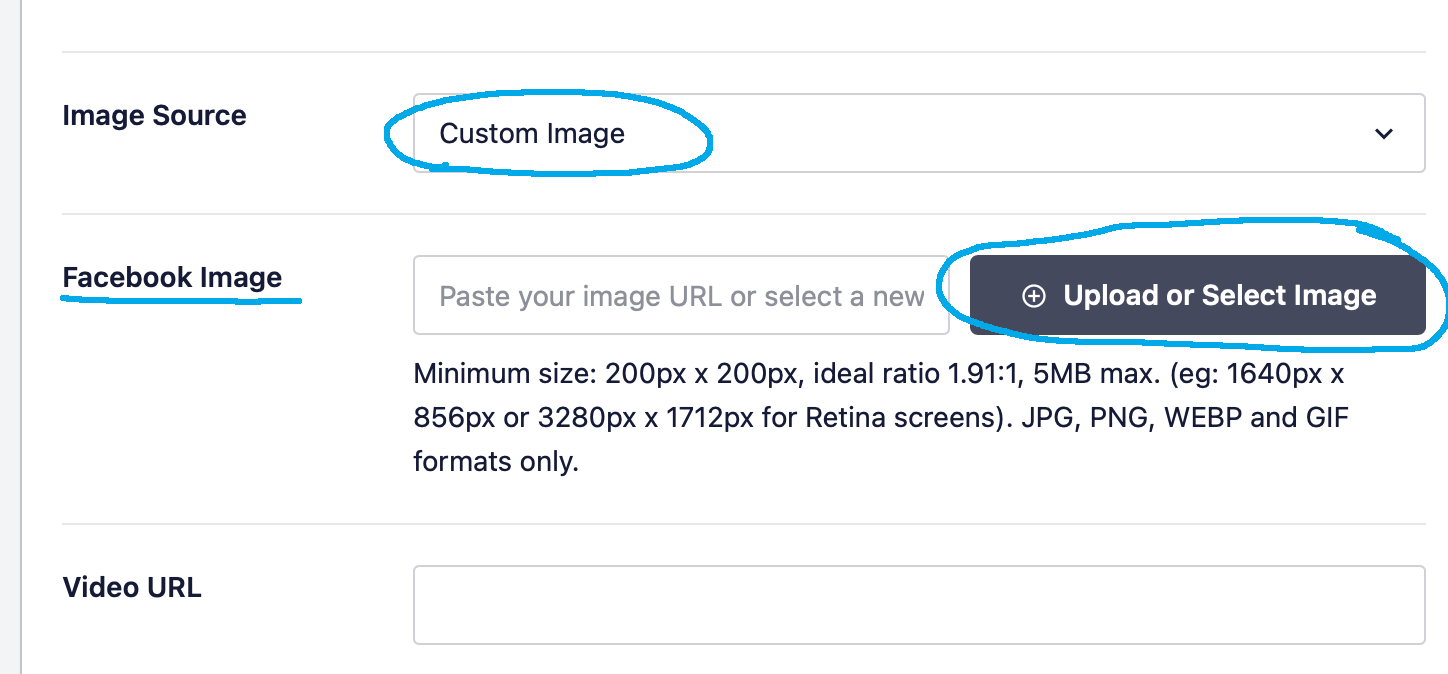
Click the Upload or Select Image button.
4.
This will take you to your Media library where you can upload or select an existing image for your preview image.

5.
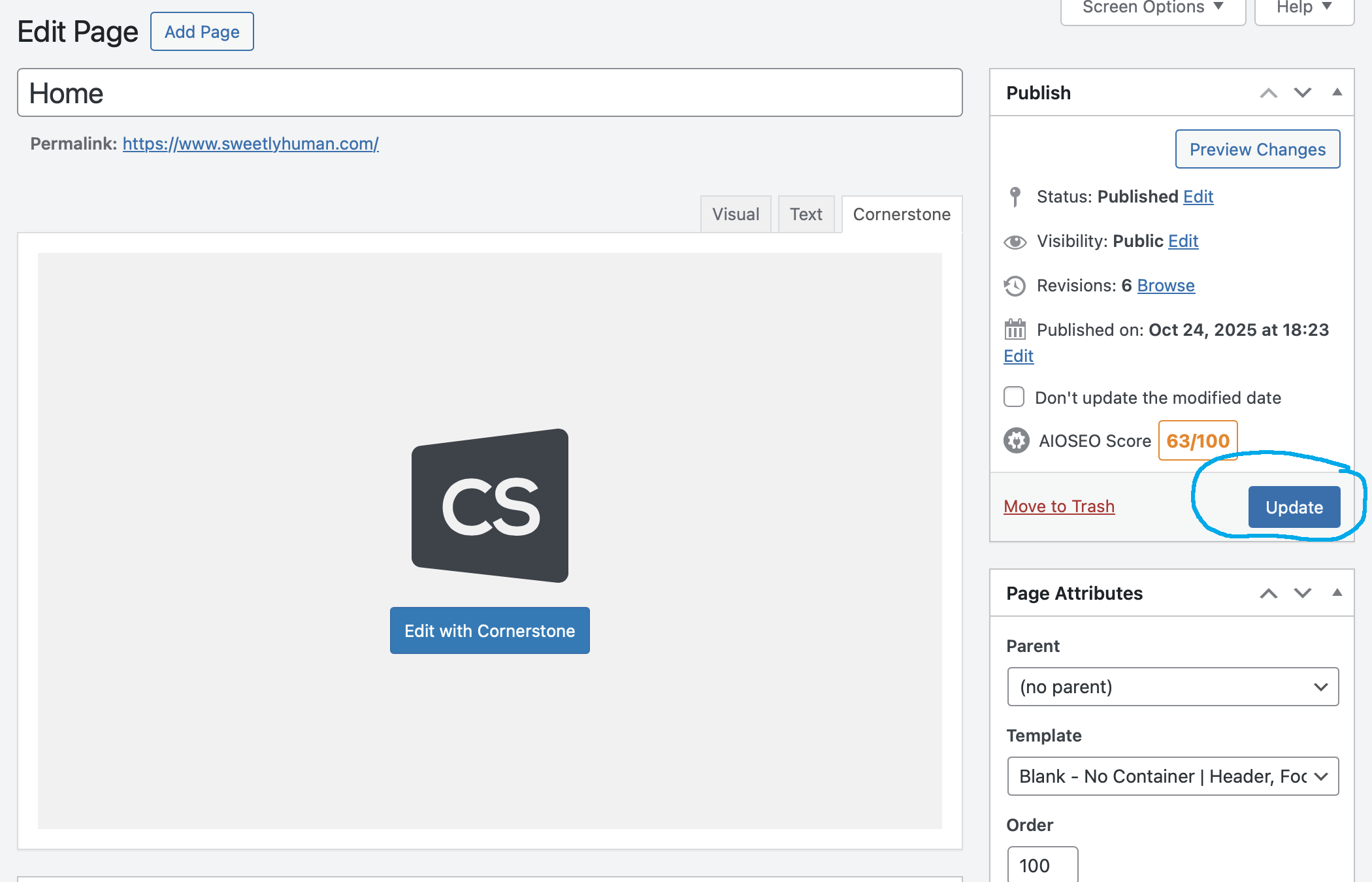
Go ahead and save the page (use the Update button).
6.
Finally, test the preview by going to your Messenger app or Facebook, post the link (www.yourdomain.com) and verify the image you selected is now there.
If you are new to X Pro or Cornerstone, this is an important video to watch! It will teach you how components are organized on a page, and how to move them around using the outline.
Pages are created by frames (stackable windows of content) called SECTIONS.
Each section has ROWS which can also be stacked on top of each other, but within their own sections.
COLUMNS are added to rows to split them up into sections, like a grid.
Inside the column are where you place the actual items that go on your web page, like text, images, buttons, etc. These are called ITEMS.
Play with the sample header image that we built »
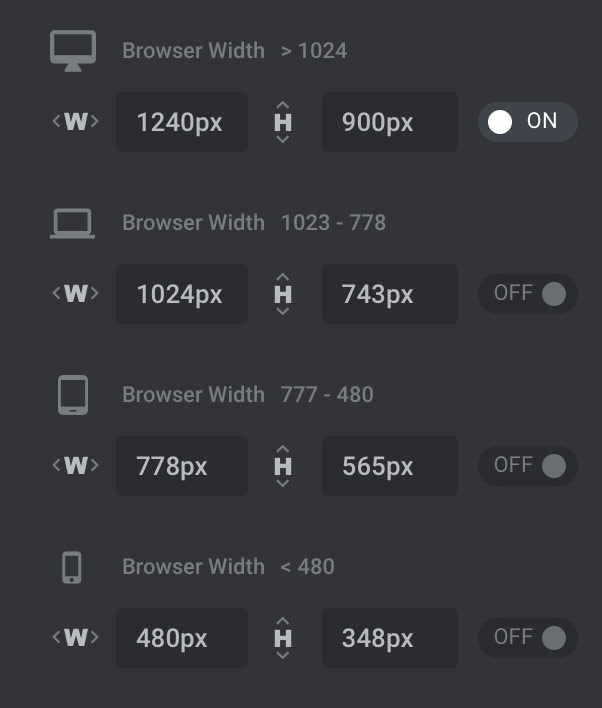
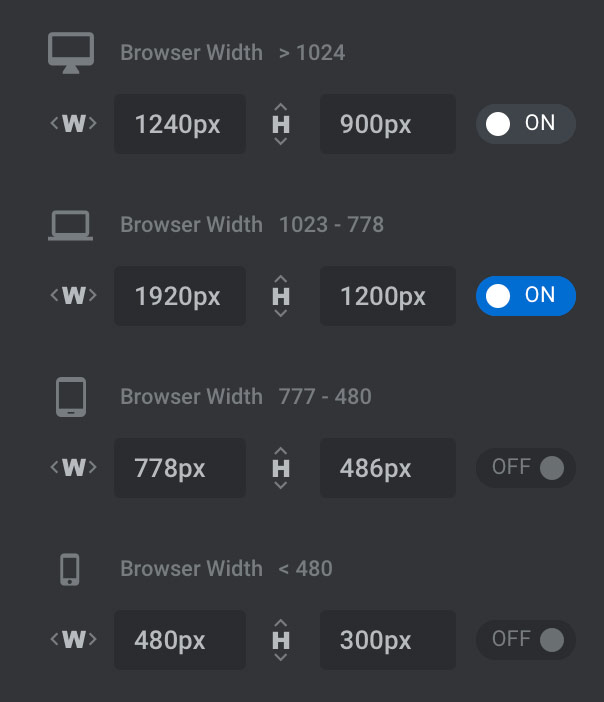
I use 4 browser sizes:
Original Default Sizes
My Adjusted Desktop Size
Definitely not!
Get a VoIP number instead. This way if it ever gets bombarded by spam, you can always delete it and get a new one. Protect your personal cell number.
voip.ms is a great place to get a new phone number. They do require a bit of techie skill, although they offer an easy-to-use app. Best value!
MySudo is another good VoIP option, and easy to use.
And finally, if you’re down with Google products, Google Voice is another alternative, although I noticed they got a bit pricier.
| Cookie | Duration | Description |
|---|---|---|
| cookielawinfo-checkbox-analytics | 11 months | This cookie is set by GDPR Cookie Consent plugin. The cookie is used to store the user consent for the cookies in the category "Analytics". |
| cookielawinfo-checkbox-functional | 11 months | The cookie is set by GDPR cookie consent to record the user consent for the cookies in the category "Functional". |
| cookielawinfo-checkbox-necessary | 11 months | This cookie is set by GDPR Cookie Consent plugin. The cookies is used to store the user consent for the cookies in the category "Necessary". |
| cookielawinfo-checkbox-others | 11 months | This cookie is set by GDPR Cookie Consent plugin. The cookie is used to store the user consent for the cookies in the category "Other. |
| cookielawinfo-checkbox-performance | 11 months | This cookie is set by GDPR Cookie Consent plugin. The cookie is used to store the user consent for the cookies in the category "Performance". |
| viewed_cookie_policy | 11 months | The cookie is set by the GDPR Cookie Consent plugin and is used to store whether or not user has consented to the use of cookies. It does not store any personal data. |